)
)
)
EDS 2026 EVENT APP
Plan your visit
Plan your visit
before you arrive.
The EDS Event App puts everything you need for the show in one place. Explore exhibitors, build your agenda, arrange meetings and plan your two days before you arrive at Coventry Building Society Arena.
ACCESS THE EDS EVENT APP → Log in using the mobile number or email address you used to register for EDS.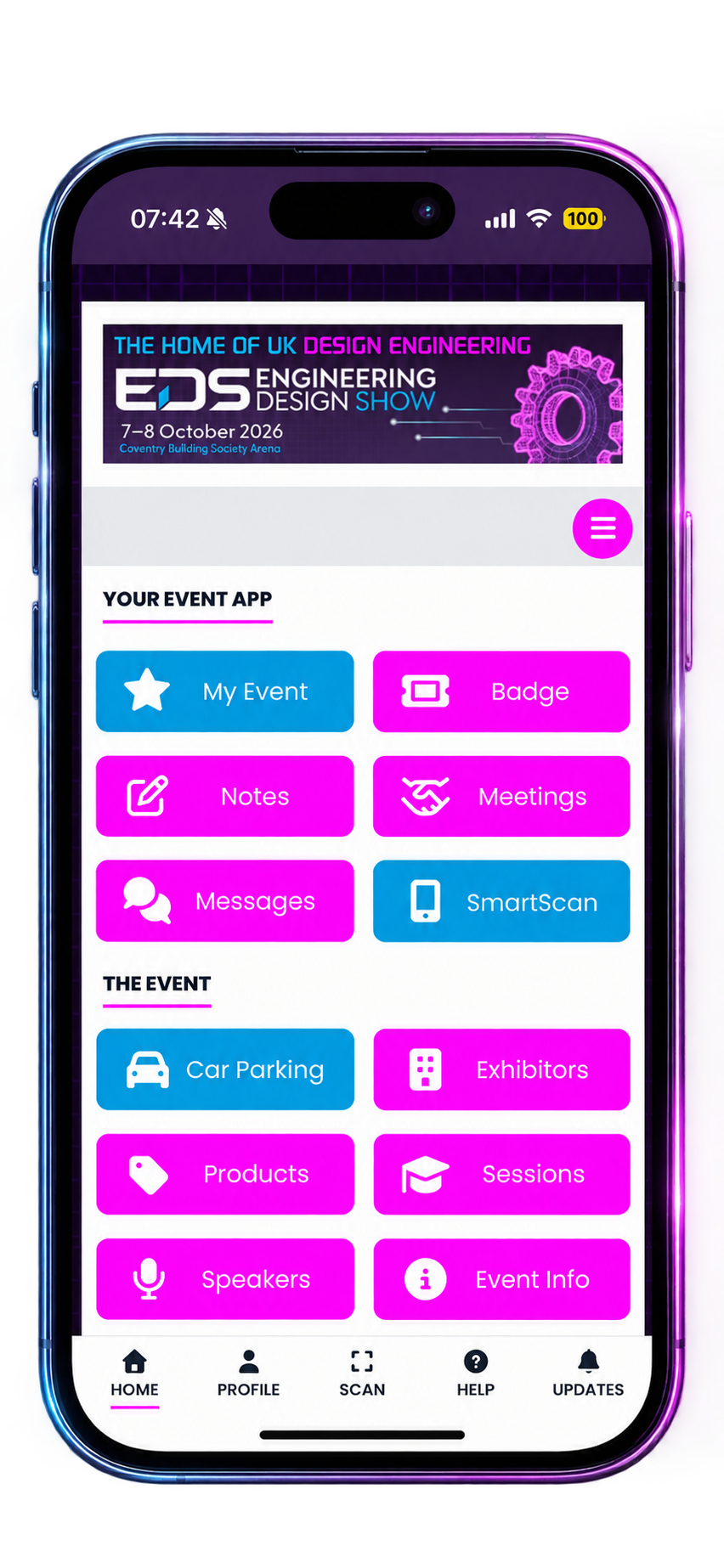
Make the most of your time at EDS
A little planning before the show means more time for the people, technologies and sessions you came to see.
Build your agenda
Save conference sessions and keep your plans for both days in one place.
Arrange meetings
Connect with exhibitors and arrange conversations before you arrive.
Explore the show
Browse exhibitors, products, speakers and event information.
Access your badge
Keep your digital event badge ready on your phone for easy access.
Keep the app on your phone
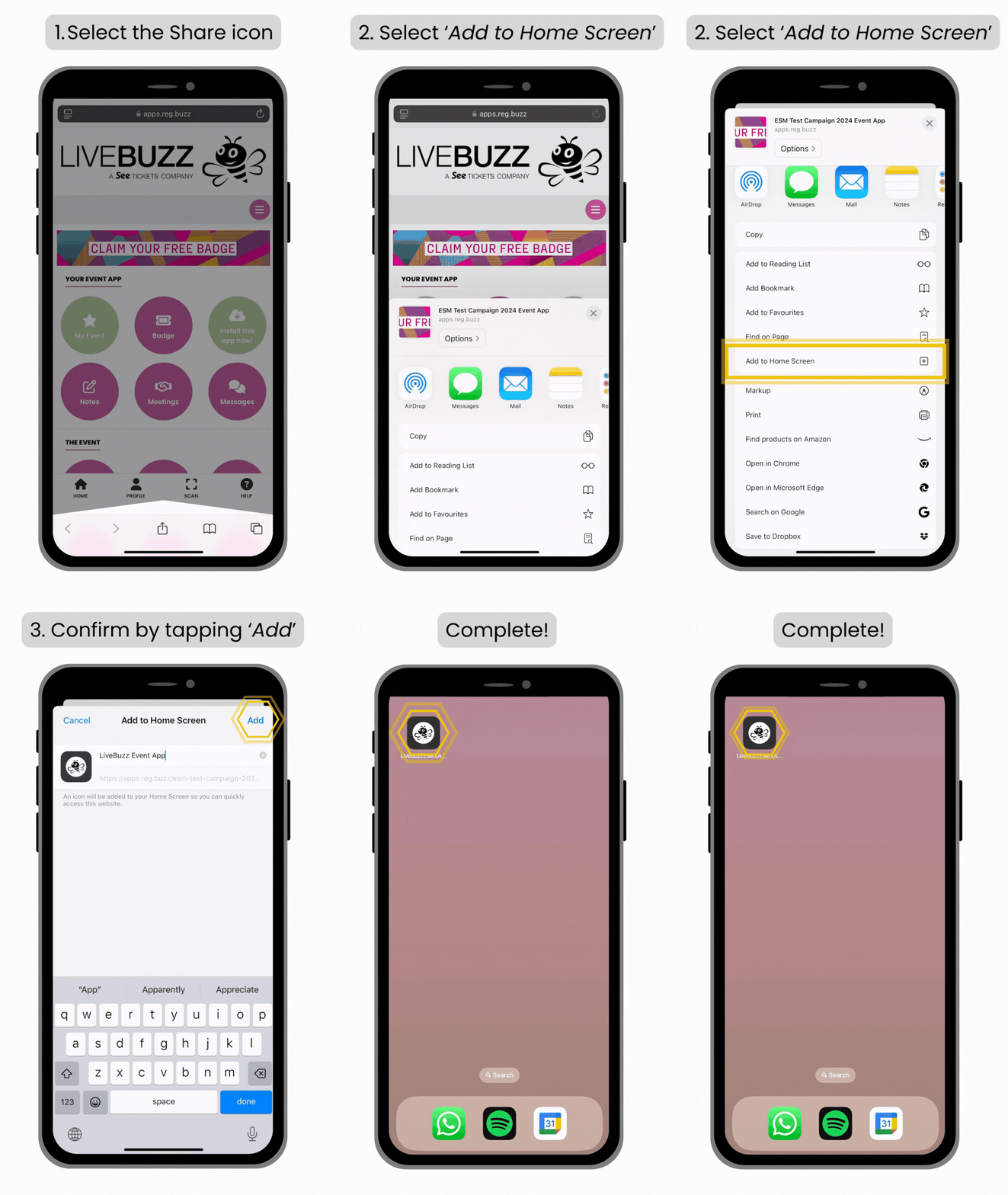
The EDS app runs through your browser, so there’s no need to search the App Store. Open it on your phone and add it to your home screen for quick access throughout the show.
1
Open the EDS app
Use the link above on your mobile and log in with your registered details.
2
Add it to your phone
Follow the walkthrough to add the EDS app to your home screen.
3
You’re ready for EDS
Open the app anytime to check your agenda, meetings, badge and show information.
Having trouble logging in?
Try the mobile number you used when registering. If you registered with a different number, use the email address linked to your EDS registration.
Try the mobile number you used when registering. If you registered with a different number, use the email address linked to your EDS registration.
)
)
)
)
)
)
)
)
)
)
)
)
)
)
)
)
)
)
)
)
)
)
)
)
)